Assembling Your n8n Complete Content Pipeline: End-to-End Mastery ✨

We've all been there: a beautifully crafted workflow, a masterpiece of logic, running smoothly in isolation. But then comes the moment to stitch it all together, to make it a cohesive, resilient machine. Suddenly, the elegant dance of individual parts feels like a tangled mess of wires, and you're left wondering how to connect everything without creating a house of cards that tumbles with the slightest hiccup. Especially when you're building something as critical as an n8n complete content pipeline tutorial, the thought of integrating data fetching, content generation, and quality gates into one robust system can feel daunting, right?
The Orchestrator's Symphony: A Mental Model
Imagine your content pipeline as a grand orchestra. Each sub-workflow we've built in previous episodes (like data fetching in Episode 2, content generation in Episode 4, and quality gates in Episode 9) is a section of instruments – the strings, the brass, the percussion. Now, you need a conductor, a main orchestrator, to bring them all together, cueing each section at the right time, ensuring harmony, and, crucially, having a plan when a musician hits a wrong note (errors!).
Our mental model for the complete pipeline is a central workflow that acts as this conductor. It calls upon sub-workflows, passes data between them, and, most importantly, has a dedicated error handling mechanism ready to jump in if any part of the symphony goes awry. This isn't just about making things run; it's about making them run reliably and observably.
This SVG illustrates how a main orchestrator workflow can trigger various sub-workflows, and how errors from any of these paths can be gracefully routed to a dedicated error handling workflow, potentially with retry logic.
Deep Dive & Code: Assembling the Masterpiece
Connecting All Sub-Workflows: The Execute Workflow Node
n8n makes connecting sub-workflows a breeze with the Execute Workflow node. It's like calling a function in your code: you pass inputs, and it returns outputs. This keeps your main orchestrator clean and focused, delegating specific tasks to specialized workflows.
Why this is great: Modularity! Each sub-workflow can be developed, tested, and maintained independently. If your data fetching logic changes, you only touch that specific sub-workflow, not the entire pipeline. This is a huge win for DX!
Here's a snippet of how your main orchestrator might look, using the Execute Workflow node to call our content generation sub-workflow:
[
  {
    "nodes": [
      {
        "parameters": {
          "workflowId": "{{ $node.GetContentData.json.workflowId }}",
          "mode": "subWorkflow",
          "inputData": "={{ $node.Start.json.someInitialData }}"
        },
        "name": "ExecuteContentGeneration",
        "type": "n8n-nodes-base.executeWorkflow",
        "typeVersion": 1,
        "position": [450, 150]
      }
    ],
    "connections": {
      "Start": [
        [
          {
            "node": "ExecuteContentGeneration",
            "type": "main"
          }
        ]
      ]
    }
  }
]
In this example, ExecuteContentGeneration would call your content generation workflow (from Episode 4), passing it some initialData. The workflowId would be the ID of your content generation sub-workflow. Simple, powerful, and keeps things beautifully organized!
Error Workflow and Retry Strategy: Your Safety Net
No system is immune to errors, and a robust pipeline needs a plan for when things go wrong. This is where a dedicated error workflow and smart retry strategies shine. n8n provides Error Trigger and Catch Error nodes to build this safety net.
The Catch Error Node: Place this node after any node or sub-workflow call that might fail. It will catch errors from its upstream nodes.
The Error Trigger Workflow: This is a separate workflow, designed to be triggered globally when any workflow fails. It's your central error reporting and recovery hub.
Why this matters: Instead of your entire pipeline grinding to a halt, errors are gracefully handled. You can log them, send notifications, and even trigger retries, minimizing downtime and manual intervention. Think of the peace of mind this brings!
Here's a conceptual flow for an error-handling sub-workflow:
[
  {
    "nodes": [
      {
        "parameters": {},
        "name": "ErrorTrigger",
        "type": "n8n-nodes-base.errorTrigger",
        "typeVersion": 1,
        "position": [250, 150]
      },
      {
        "parameters": {
          "mode": "fixed",
          "value": 3,
          "unit": "minutes",
          "workflowId": "{{ $json.workflow.id }}"
        },
        "name": "RetryFailedWorkflow",
        "type": "n8n-nodes-base.scheduleWorkflow",
        "typeVersion": 1,
        "position": [450, 150]
      },
      {
        "parameters": {
          "authentication": "predefined",
          "predefinedCredentialName": "my_slack_credential",
          "text": "Workflow failed: {{ $json.workflow.name }} (ID: {{ $json.workflow.id }}) with error: {{ $json.error.message }}"
        },
        "name": "SendSlackNotification",
        "type": "n8n-nodes-base.slack",
        "typeVersion": 1,
        "position": [700, 150]
      }
    ],
    "connections": {
      "ErrorTrigger": [
        [
          {
            "node": "RetryFailedWorkflow",
            "type": "main"
          },
          {
            "node": "SendSlackNotification",
            "type": "main"
          }
        ]
      ]
    }
  }
]
This simple error workflow, triggered by ErrorTrigger, attempts to RetryFailedWorkflow after 3 minutes and sends a SendSlackNotification. You can customize the retry logic (e.g., exponential backoff) and notification channels (email, PagerDuty, etc.) to fit your needs.
Monitoring Execution History: Keeping an Eye on the Pulse
Once your complete pipeline is running, you need to know it's actually working. n8n's UI provides a fantastic dashboard and execution history view that lets you monitor every single run, inspect data, and quickly pinpoint issues.
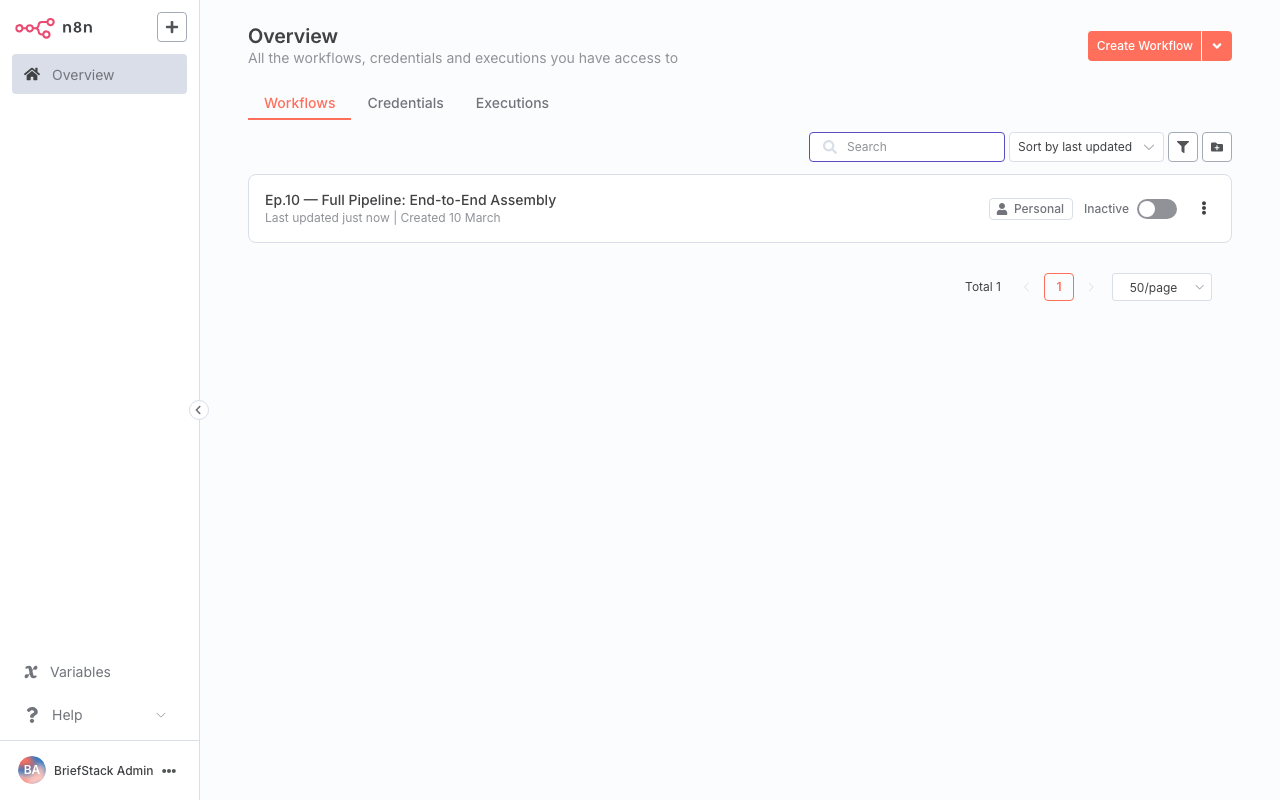
This screenshot shows the n8n dashboard, giving you an overview of active workflows, recent executions, and any errors that might have occurred. It's your control center for keeping tabs on your automated content pipeline.
By regularly checking the execution history, you can visualize the data flow at each step, ensuring that the output of one sub-workflow correctly feeds into the next. This is invaluable for debugging and performance tuning.
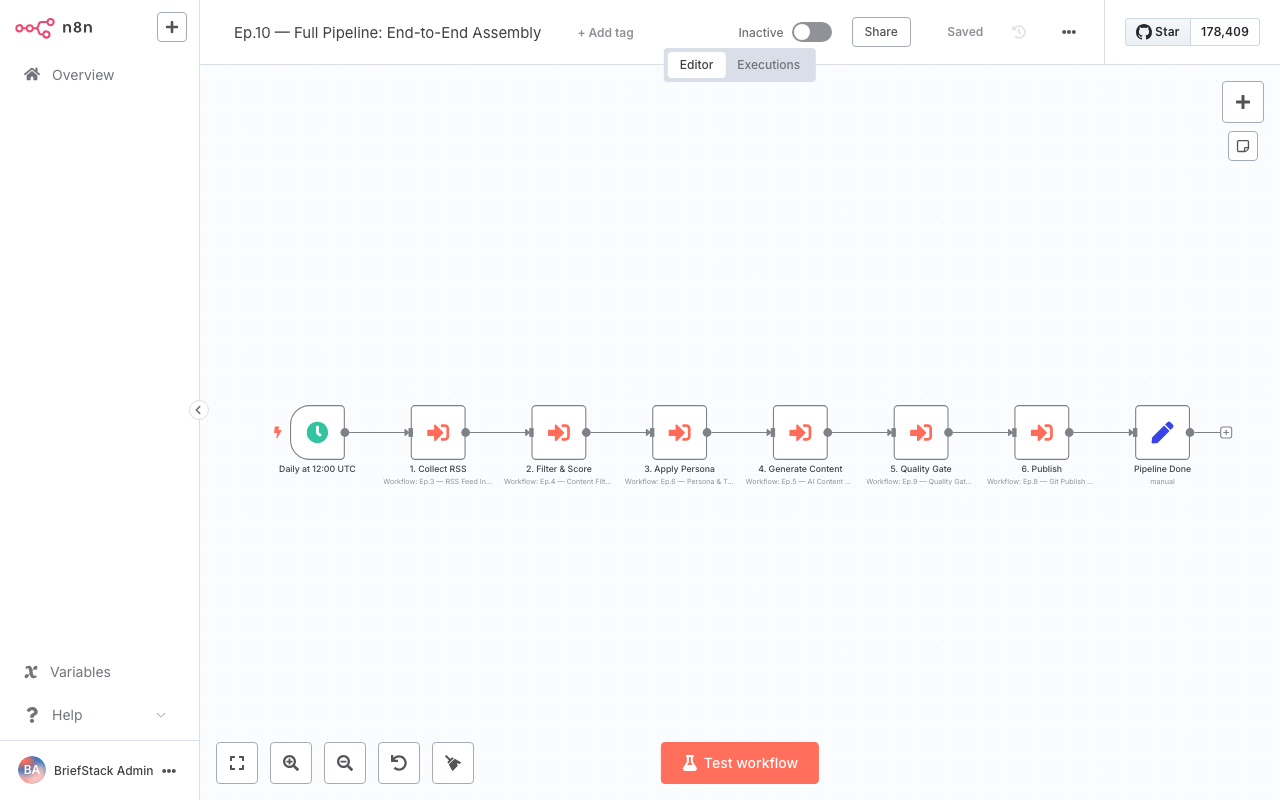
Here, within the workflow editor, you can see the execution history for a specific workflow. Clicking on individual nodes allows you to inspect the input and output data, providing a granular view of what happened during that particular run. This level of detail makes troubleshooting a breeze!
Production Tips and Scaling: Ready for the Big Leagues
Taking your content pipeline from development to production requires a few thoughtful considerations:
1. Environment Variables: Use them religiously! For API keys, database credentials, or any configurable values, environment variables (process.env.MY_API_KEY) keep sensitive information out of your workflows and allow easy configuration changes across environments.
2. Resource Allocation: n8n can be resource-intensive, especially with complex workflows or high concurrency. Monitor your server's CPU and memory usage. If you're self-hosting, consider adjusting n8n's concurrency settings or scaling up your infrastructure.
3. Logging & Alerts: Beyond n8n's internal monitoring, integrate with external logging services (e.g., ELK stack, Splunk) and robust alerting systems for critical failures. Your error workflow is a great place to send these external alerts.
4. Health Checks: If you're running n8n in a containerized environment (like Docker or Kubernetes), configure health checks to ensure the n8n instance is responsive and ready to process workflows.
5. Backup Strategy: Regularly back up your n8n data (workflows, credentials, execution history). Disasters happen, and a solid backup plan is your best friend.
Performance vs DX: The Best of Both Worlds
Building a complete, modular n8n pipeline with robust error handling and monitoring is a win-win for both performance and Developer Experience (DX).
Performance:
- Efficiency: Breaking down complex tasks into sub-workflows can improve execution speed by allowing parallel processing (if your n8n setup supports it) and reducing the cognitive load on a single, massive workflow.
- Resilience: Error handling and retry strategies mean your pipeline can recover from transient failures without manual intervention, ensuring higher uptime and data integrity.
- Scalability: A modular design is inherently more scalable. You can optimize or scale specific sub-workflows independently if they become bottlenecks, rather than having to re-architect a monolithic process.
Developer Experience (DX):
- Clarity: A well-structured main orchestrator calling logical sub-workflows is so much easier to understand and navigate than one giant workflow. It's like reading clean, modular code!
- Maintainability: Changes in one part of the pipeline (e.g., a new data source) are isolated to its specific sub-workflow, reducing the risk of introducing bugs elsewhere.
- Debugging: With clear execution history and granular error reporting, pinpointing the exact cause of a failure becomes a much faster, less frustrating process. No more staring at a blank screen wondering what went wrong!
- Collaboration: Different team members can work on different sub-workflows simultaneously without stepping on each other's toes. This boosts productivity and makes onboarding new developers a breeze.
The Wrap-up: Your Pipeline, Fully Armed!
Wow, what a journey! From individual components to a fully integrated, resilient, and observable content automation powerhouse – you've built an n8n complete content pipeline tutorial that's ready for anything. You've mastered connecting workflows, implemented robust error handling, and learned how to keep a watchful eye on everything. This isn't just about automation; it's about building intelligent, reliable systems that empower you to focus on the creative work, not the repetitive tasks. Your pipelines are way leaner, smarter, and more resilient now! Happy Coding! ✨
FAQ Section
How do I pass data between a main workflow and a sub-workflow?
You use the 'Input Data' field in theExecute Workflow node to send data from the main workflow to the sub-workflow. The sub-workflow can then access this data using {{ $json }} or specific variable references. The sub-workflow's final output will be returned to the Execute Workflow node in the main workflow.What's the difference between a Catch Error node and an Error Trigger workflow?
A Catch Error node is placed within a specific workflow and catches errors from the nodes directly upstream of it in that same workflow. An Error Trigger is a special node that starts a separate workflow, and it's configured to be globally triggered whenever any workflow on your n8n instance fails. It's for centralized, global error handling.How can I implement exponential backoff for retries?
Within your error handling workflow, after theError Trigger, you can use a Function node to calculate the delay for the next retry based on the number of previous attempts. Then, use a Wait node with this calculated delay before triggering the Schedule Workflow node to retry the original failed workflow. You'd store the attempt count in a persistent way, perhaps in a database or a variable store.What are the best practices for securing sensitive credentials in a production n8n environment?
Always use n8n's built-in Credentials feature to store API keys and sensitive data. For self-hosted n8n, ensure your N8N_ENCRYPTION_KEY environment variable is set and strong. Additionally, use environment variables for any other configuration that shouldn't be hardcoded in workflows, and restrict access to the n8n instance itself through proper network security and authentication.