Unleashing n8n AI Content Generation with Gemini API ✨

We've all been there, haven't we? Staring at a blank screen, trying to conjure up fresh content ideas or variations, feeling the relentless pressure of content pipelines. Or maybe you've dipped your toes into integrating large language models (LLMs) but found yourself wrestling with complex API calls and response parsing. It's like trying to teach a robot to write poetry — exciting, but full of unexpected twists! Today, we're going to tackle this beautifully by diving deep into n8n AI content generation with Gemini API. We'll empower your workflows to generate dynamic, high-quality content without breaking a sweat. Shall we make our content creation dreams a reality? 🚀
The Pain Point: Manual Content Grind vs. API Headaches
Imagine you've just filtered and scored a mountain of content ideas, as we learned in Episode 4. Now, the next logical step is to create that content. Are you going to manually write 50 different headlines, product descriptions, or social media posts? Gah! No thank you! The alternative, integrating a sophisticated LLM like Gemini, often means diving into curl commands, managing API keys, and building robust error handling from scratch. It's a journey from content creator to full-stack API whisperer, and while we love a good challenge, sometimes we just want the content to flow.
The Mental Model: Orchestrating the LLM Symphony
Think of our n8n workflow as a skilled conductor, guiding a powerful orchestra (Gemini API) to produce a beautiful symphony (our generated content). Our conductor needs to:
1. Send the Score (Prompt): Provide clear instructions and context to the orchestra.
2. Listen to the Music (Response): Understand and interpret the melodies Gemini returns.
3. Handle the Unexpected (Errors): Gracefully manage if a musician misses a note or the orchestra needs a moment.
Here’s how that looks visually in our n8n pipeline:
This visual flow shows how our structured input data travels through n8n, gets transformed into a prompt, sent to Gemini, and then its response is processed back into usable content. Clear as day, right? ✨
The Deep Dive & Code: Crafting Your LLM Integration
Let's roll up our sleeves and get practical. We'll use n8n's HTTP Request node, which is incredibly versatile, to connect with the Gemini API. Remember, we're building on the content ideas from previous episodes, so imagine we have a topic and keywords ready to go!
1. Connecting to Gemini: The HTTP Request Node
First, you'll need a Gemini API key. Keep it secure, perhaps in an n8n credential or environment variable. Then, drag an HTTP Request node onto your canvas.
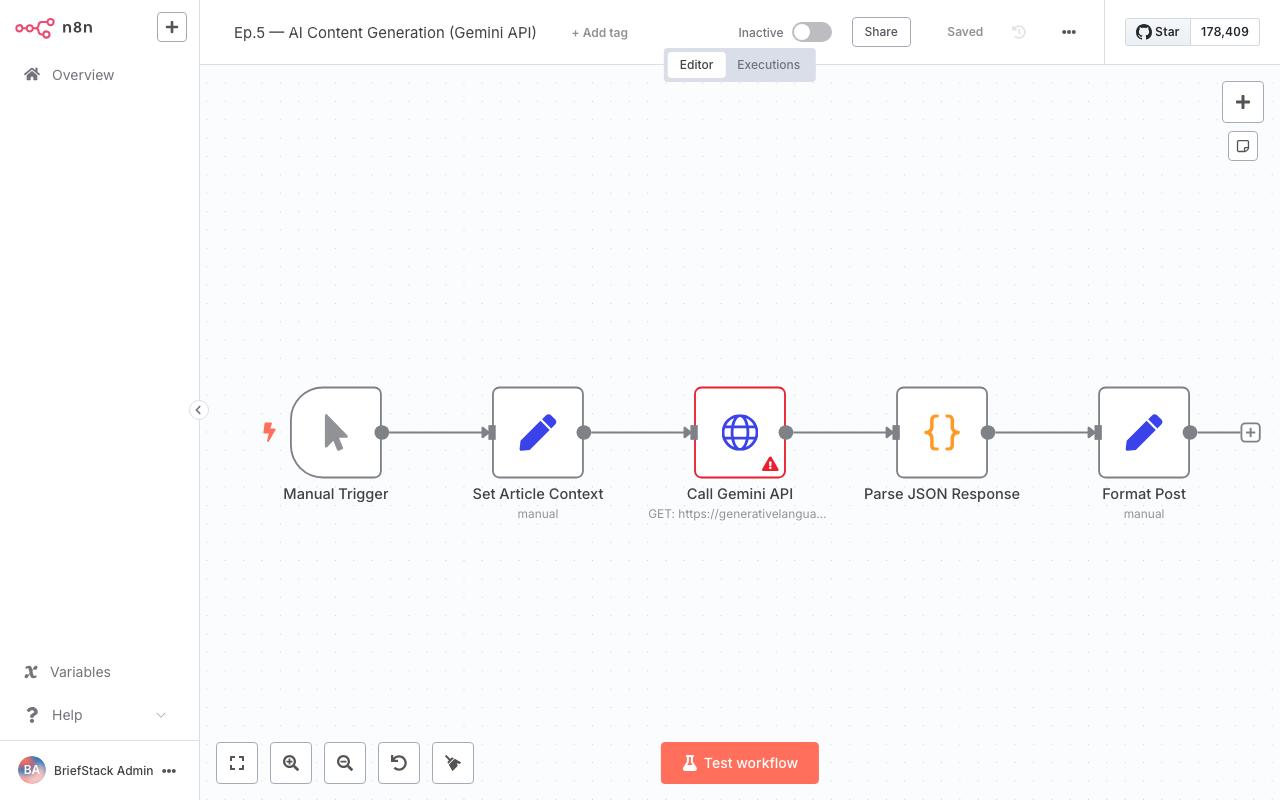
This screenshot shows an n8n workflow with various connected nodes, highlighting the visual nature of building automation pipelines.
Here’s how you'd configure it for Gemini (using the gemini-pro model as an example):
{
  "method": "POST",
  "url": "https://generativelanguage.googleapis.com/v1beta/models/gemini-pro:generateContent?key={{ $env.GEMINI_API_KEY }}",
  "headers": {
    "Content-Type": "application/json"
  },
  "body": {
    "contents": [
      {
        "parts": [
          {
            "text": "{{ $('Set').item(0).json.promptText }}"
          }
        ]
      }
    ],
    "generationConfig": {
      "temperature": 0.7,
      "topK": 1,
      "topP": 1,
      "maxOutputTokens": 2048,
      "stopSequences": []
    },
    "safetySettings": [
      {
        "category": "HARM_CATEGORY_HARASSMENT",
        "threshold": "BLOCK_MEDIUM_AND_ABOVE"
      },
      {
        "category": "HARM_CATEGORY_HATE_SPEECH",
        "threshold": "BLOCK_MEDIUM_AND_ABOVE"
      },
      {
        "category": "HARM_CATEGORY_SEXUALLY_EXPLICIT",
        "threshold": "BLOCK_MEDIUM_AND_ABOVE"
      },
      {
        "category": "HARM_CATEGORY_DANGEROUS_CONTENT",
        "threshold": "BLOCK_MEDIUM_AND_ABOVE"
      }
    ]
  },
  "jsonParameters": true
}
Why this is better: Instead of hardcoding prompts, we use n8n expressions like {{ $env.GEMINI_API_KEY }} for security and {{ $('Set').item(0).json.promptText }} to dynamically pull our prompt from a preceding Set node. This keeps your API key out of your workflow definition and makes your prompts incredibly flexible. The jsonParameters: true ensures n8n correctly sends our JSON body.
2. Crafting Prompts with n8n Expressions: The Art of Conversation
This is where the magic truly happens! A well-crafted prompt is the key to excellent LLM output. We'll use a Set node before our HTTP Request to build our prompt dynamically. Let's say our previous node output topic and keywords.
// In a 'Set' node, create a new field called 'promptText'
{
  "promptText": "Write a compelling blog post title and a 2-sentence meta description about '{{ $json.topic }}'. Incorporate these keywords: {{ $json.keywords.join(', ') }}. The tone should be engaging and informative. Provide the output in JSON format with 'title' and 'metaDescription' fields."
}
Why this is better: This pattern allows you to build sophisticated, context-aware prompts without writing a single line of JavaScript. You can pull data from any previous node, transform it, and inject it directly into your prompt. Notice how we ask for JSON output – this makes parsing a breeze! We're essentially giving Gemini a clear blueprint for its creative work. 💡
3. Parsing LLM JSON Responses: Unlocking the Content
Gemini will return a JSON object, and we need to extract our generated content. If you asked for JSON output in your prompt, this step is super straightforward. Add a JSON Parse node after your HTTP Request, or use a Set node with expressions.
// In a 'Set' node after the HTTP Request
{
  "generatedTitle": "{{ $json.data.candidates[0].content.parts[0].text.match(/'title':\s"([^"]+)"/) ? $json.data.candidates[0].content.parts[0].text.match(/'title':\s"([^"]+)"/)[1] : 'N/A' }}",
  "generatedMetaDescription": "{{ $json.data.candidates[0].content.parts[0].text.match(/'metaDescription':\s"([^"]+)"/) ? $json.data.candidates[0].content.parts[0].text.match(/'metaDescription':\s"([^"]+)"/)[1] : 'N/A' }}"
}
Why this is better: While a JSON Parse node works if Gemini strictly returns valid JSON, often LLMs embed JSON within a text string. The match regex above is a robust way to extract specific fields even from slightly less structured text. We're directly mapping the LLM's output to clean, usable fields in our workflow. This makes subsequent steps so much easier, like sending this content to a CMS or database.
4. Handling API Errors and Retries: Building Resilience
API calls can fail. Network glitches, rate limits, or even an LLM deciding it doesn't understand your prompt (it happens!). Robust workflows anticipate this. n8n offers fantastic tools for resilience.
- HTTP Request Node's Retry Options: In the HTTP Request node settings, look for "Retry On Error." You can configure how many times n8n should automatically retry the request and with what delay. This is your first line of defense against transient network issues.
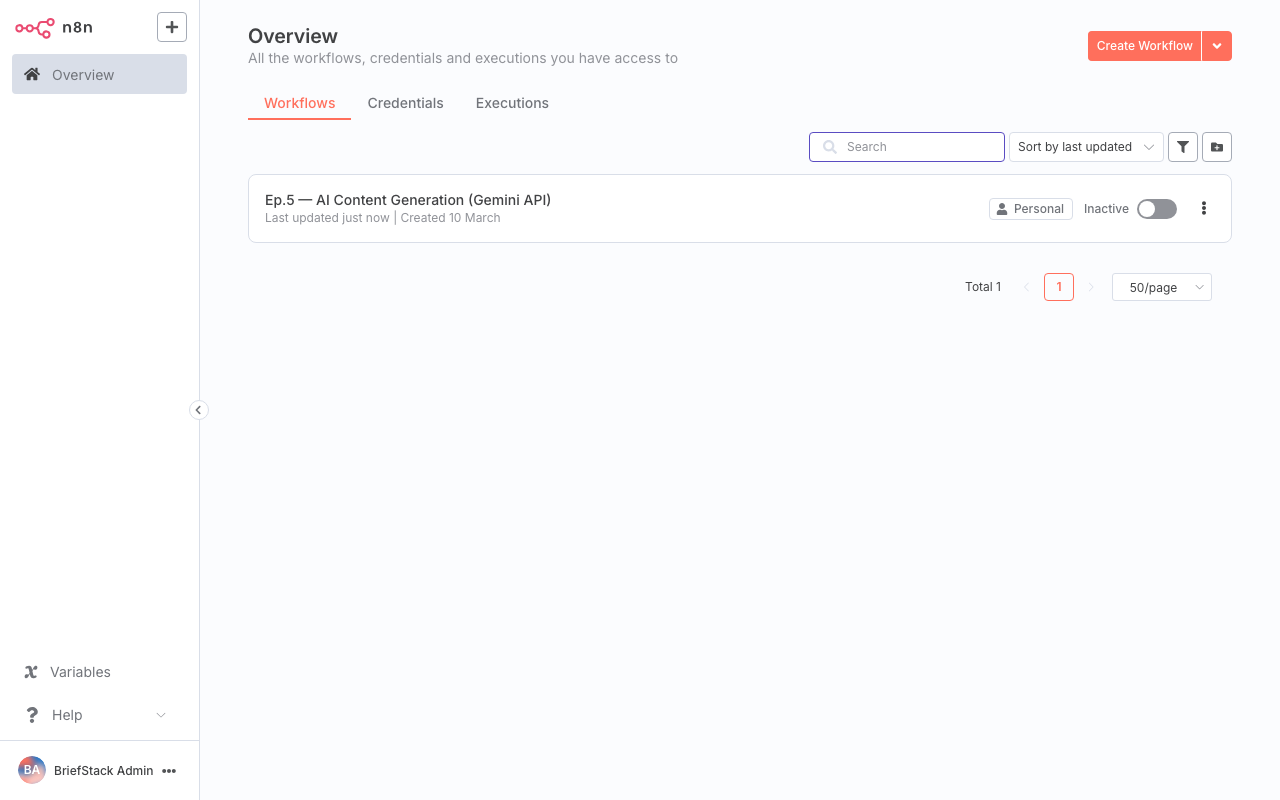
This screenshot displays the n8n dashboard, providing an overview of active workflows and execution history, which is crucial for monitoring API call success and failures.
- Error Handling with
Try/Catch: For more sophisticated error management, wrap your HTTP Request node in aTry/Catchblock. If the HTTP Request fails, the workflow will branch to theCatchpath, allowing you to log the error, send a notification, or even try a different LLM model.
// Example of a 'Catch' path in n8n
    // This 'Set' node would be in the 'Catch' branch
    {
      "errorStatus": "{{ $error.context.response.status }}",
      "errorMessage": "{{ $error.context.response.statusText || $error.message }}",
      "failedPrompt": "{{ $('Set').item(0).json.promptText }}"
    }
Why this is better: Proactive error handling is a cornerstone of reliable systems. The built-in retry mechanism saves you from writing boilerplate, and Try/Catch empowers you to build graceful degradation paths. This means your content pipeline keeps flowing, even when the internet decides to be a bit flaky. Your DX is vastly improved because you're not debugging mysterious workflow failures at 2 AM! 😴
Performance vs DX: The Best of Both Worlds
Integrating Gemini with n8n isn't just about getting the job done; it's about getting it done well and efficiently.
- Performance:
- Developer Experience (DX):
The Wrap-up: Your Content Engine is Humming!
Wow, you've just unlocked a superpower for your content pipeline! By mastering the HTTP Request node, dynamic prompt crafting, robust parsing, and thoughtful error handling, you've turned a potentially complex LLM integration into a smooth, efficient, and reliable content generation engine. Your components are way leaner now, and your content flow is more powerful than ever! Happy Coding! ✨
Next up, we'll refine our content generation even further by exploring how to build powerful Persona and Template Systems in n8n. Get ready to give your generated content even more personality and structure! See you there!
FAQ Section
What if Gemini's response isn't perfectly formatted JSON?
As demonstrated, you can use n8n'sCode node or Set node with regular expressions (.match()) to extract information even from text that contains embedded JSON or is semi-structured. This makes your workflows robust against slight variations in LLM output.How do I manage my Gemini API key securely in n8n?
The best practice is to store your API key as an environment variable ($env.GEMINI_API_KEY) on your n8n instance or use n8n's built-in Credentials feature. Avoid hardcoding it directly in your workflow nodes for security.Can I use other LLMs besides Gemini with n8n?
Absolutely! The HTTP Request node is framework-agnostic. You can use the same principles (configuring URL, headers, body, and parsing responses) to integrate with OpenAI, Anthropic, or any other LLM provider that offers an API. The core concepts remain the same!How can I prevent my n8n workflow from hitting Gemini's rate limits?
You can configure the HTTP Request node's "Retry On Error" settings with an appropriate delay. For more advanced scenarios, consider using n8n'sSplit in Batches node with a Wait node to introduce deliberate delays between API calls, or implement a custom rate-limiting mechanism with a Code node.